The Criterion CRM
Your leads, jobs and invoices. On your phone.
The CRM comes with every Criterion system. New enquiries arrive scored and ready to ring. Quotes and invoices go out from your phone, card payments mark themselves paid, and nothing is sent without your OK.
Already a client? Log in to your CRM
Leads
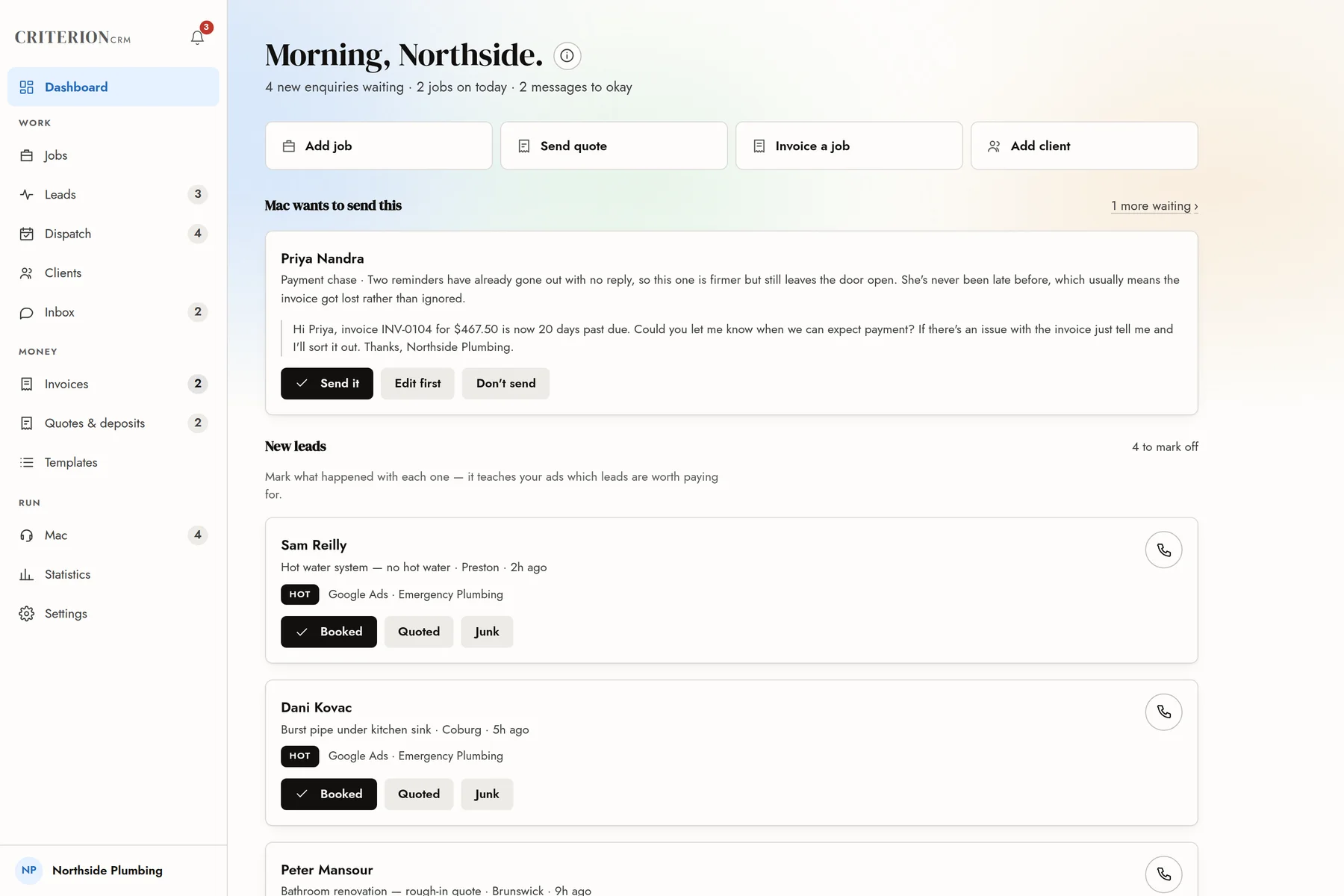
Ring the right one first.
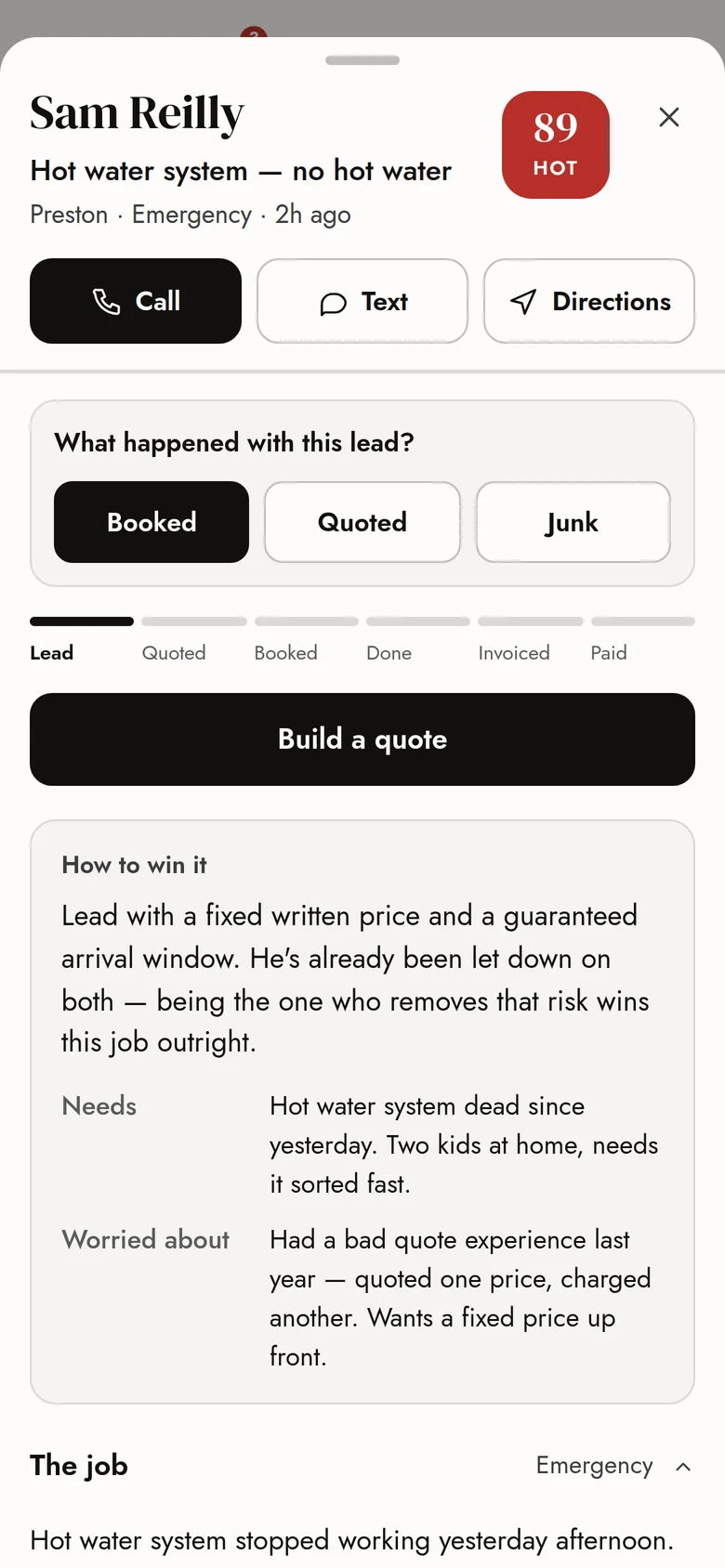
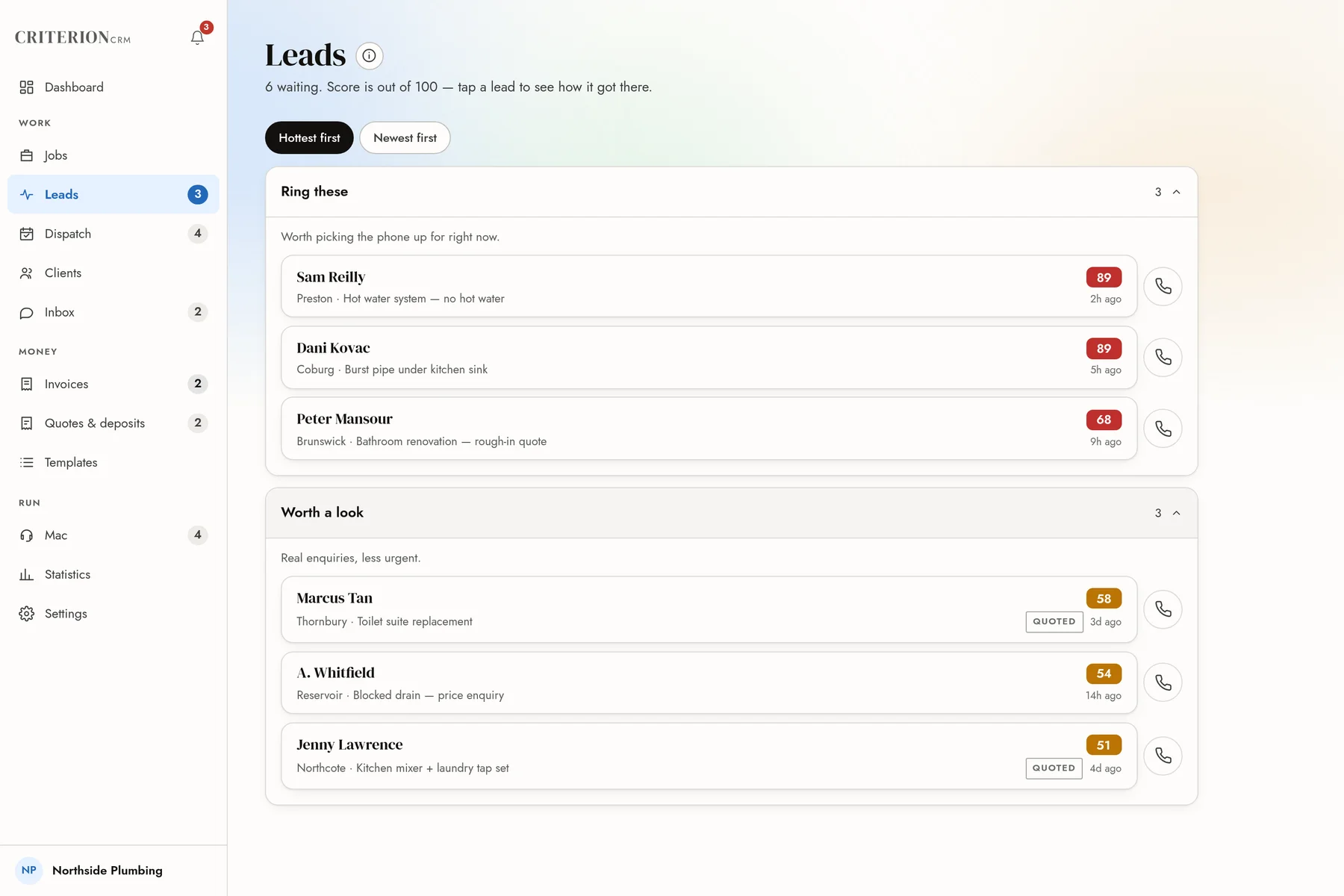
Every enquiry arrives scored out of 100, hottest first, with the ad that brought it in. Tap one to see what they need, how urgent it is and what they’re worried about.
- The best ones sorted to the top
- Call, text or get directions in one tap
- Mark each one Booked, Quoted or Junk, so your ads learn which leads are worth paying for
Jobs
Every job and where it’s up to.
Each job moves from lead to quoted, booked, done, invoiced and paid. Booked jobs appear in your Google Calendar, and a reminder text goes out the day before.
- Quotes customers can accept online
- Deposit requests before you book the date
- Job photos and notes kept with the job
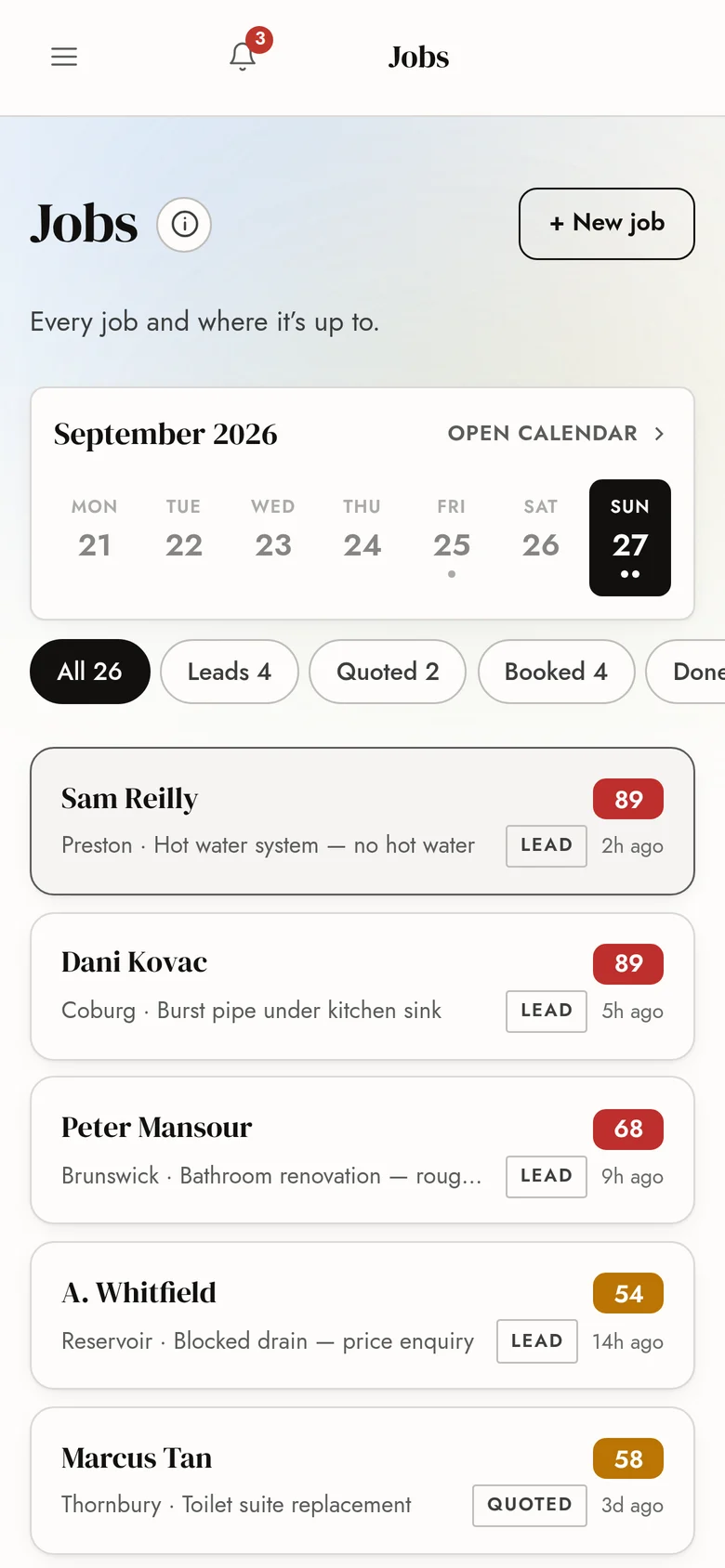
- In your Google Calendar
- Reminder sent the day before
- Review asked for once it’s done
Money
Get paid without chasing.
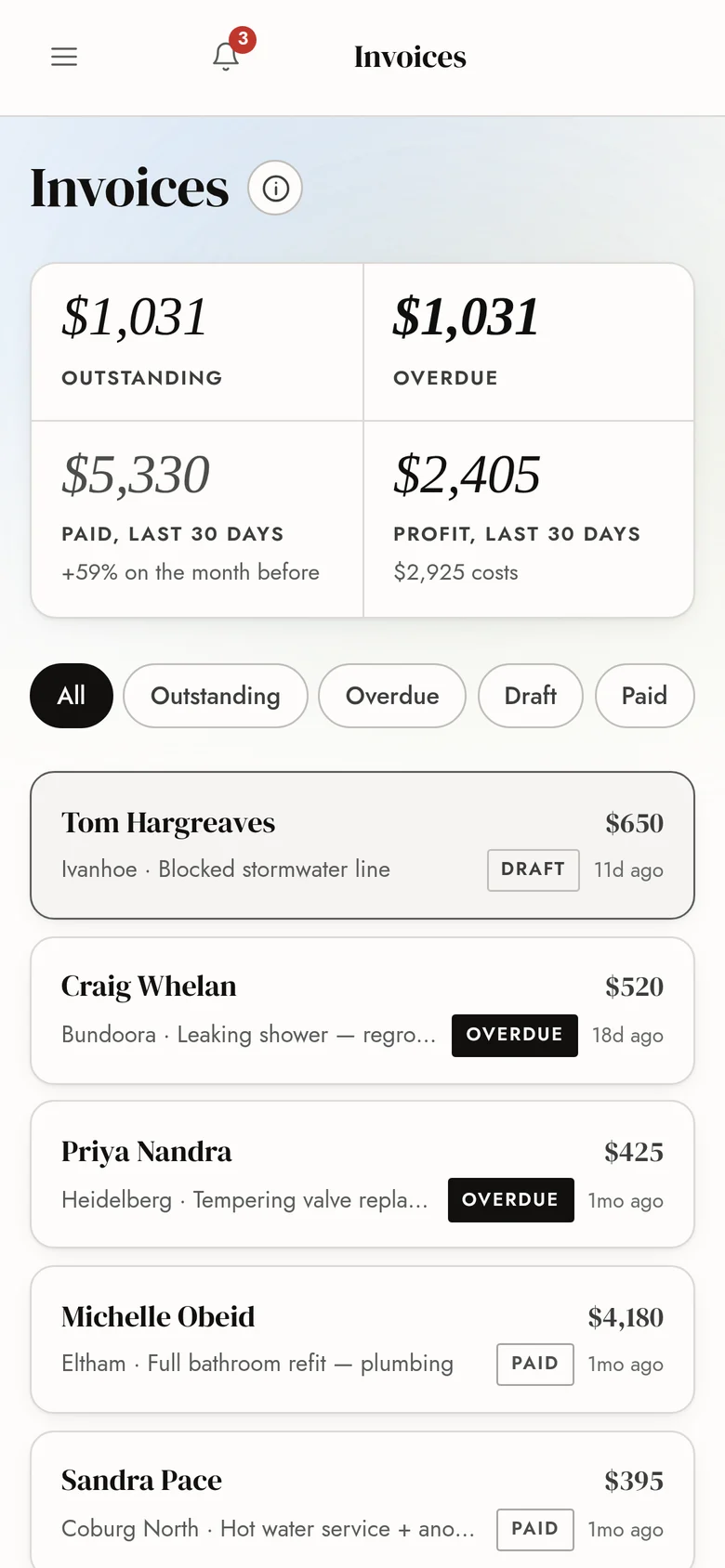
Send a proper tax invoice from your phone, with your ABN, GST and bank details. Customers can pay by card, and the invoice marks itself paid. If you use Xero, every invoice syncs across.
- Overdue invoices followed up for you, politely, then firmly
- Every follow-up waits for your OK
- Outstanding and overdue at a glance
Your OK
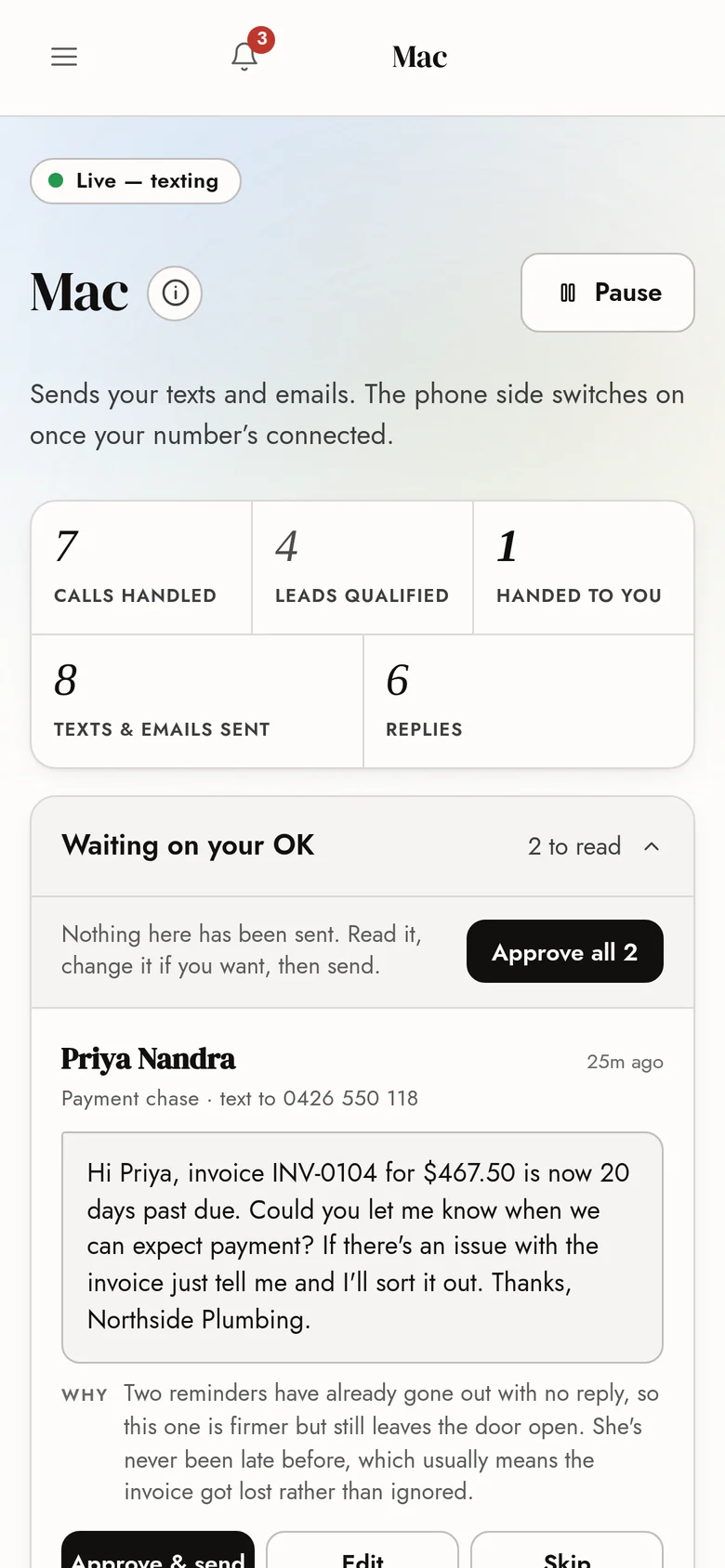
Mac writes it. You approve it.
Mac drafts your replies, reminders and payment follow-ups. Each one waits until you tap send, edit or skip, then goes out from your own number and email address.
- Customer replies land back on the right job
- He never makes up a price or a date
- Once you trust him, let the simple ones send themselves
Your team
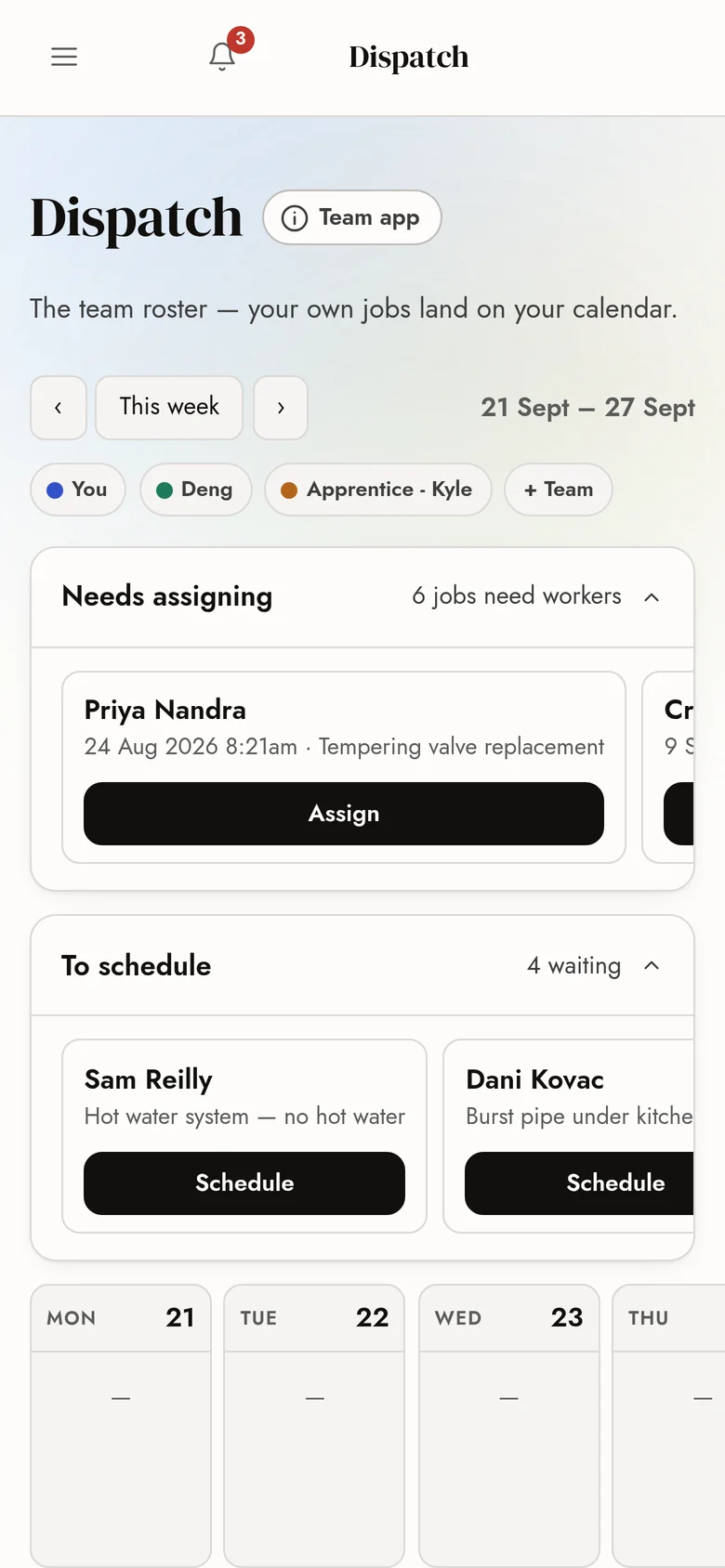
Everyone’s week on one board.
Give each job to the right people. The board won’t let you double-book anyone, and a date the customer hasn’t confirmed stays pencilled in until they do.
- Each worker sees just their day in the Criterion Field app
- Jobs in order, with directions and the customer’s number
- Your own jobs land in your calendar
Numbers
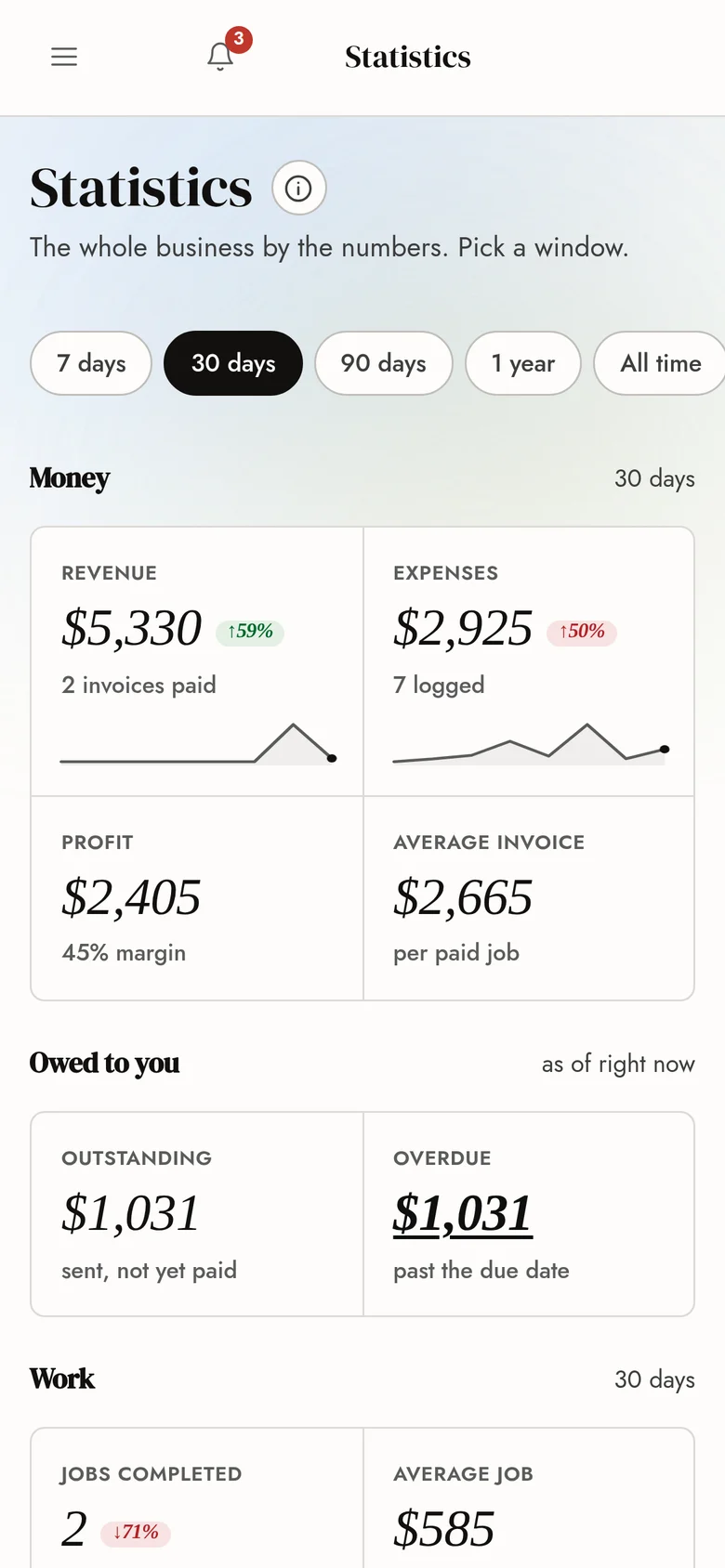
The whole business by the numbers.
Revenue, costs, profit and what you’re owed, for the last week, month or year. No spreadsheet needed.
- Expenses logged as you go
- Your average job and average invoice
- Exactly who owes you what
Built to be trusted
Set up so you stay in control.
Three things that hold true every day you use it.
Nothing sends without your OK
Every automatic message waits in a queue until you’ve read it.
Works with no signal
Installs on your phone like an app, opens with no signal and catches up when you’re back in range.
Your data stays yours
Kept separate from every other business, and it goes with you if you ever leave.
Also in there
- Job photos
- Expense tracking
- Deposit requests
- Appointment reminders
- Review requests
- Missed-call capture
- Warranty notes
- Customer history
- Recurring work
- Quotes accepted online
Works with
Connects to the tools you already use. Nothing to copy across by hand.
- StripeCustomers pay by card. The invoice marks itself paid.
- XeroEvery invoice and payment syncs across.
- Google CalendarBooked jobs appear in your calendar.
- GmailQuotes and invoices go out from your own email.
- MetaBooked jobs are reported back to your ads.
Do I pay extra for the CRM?
No. It comes with every Criterion system, and it keeps getting better every month at no extra cost.
Can I use it on my computer as well as my phone?
Yes. It works on a phone, a tablet or a computer, and it installs on your phone like a normal app.
Will it work where there’s no signal?
Yes. It opens with no signal and catches up the moment you’re back in range.
Can I bring my customers across from Xero?
Yes. Connect Xero once and your customers, their details and their invoice history come across by themselves, checked for doubles on the way in. Your invoices keep going to Xero, so your accountant sees no change.
Does my team get it too?
Your team gets the Criterion Field app. Each worker signs in on their own phone and sees just their jobs for the day, in order, with directions.
Who can see my data?
Only you and the people you give a login to. Your business’s data is kept separate from every other business on the system.
What happens to my customer list if I leave?
It’s yours, and it goes with you. There’s no lock-in and no exit fee.
Book a call
Book a 15-minute call.
We’ll look at your business the way a customer would: where enquiries are slipping away, what your offer says about you, and what a month of properly run ads could look like in your area. No slide deck and no pressure.
You’re booked in. Talk soon.
We’ll ring you in the time you picked. If something comes up before then, text or call 0481 569 453.
Preview only: this copy of the page isn’t connected, so nothing was sent. On criteriondigital.com.au it goes straight into the CRM.
- Nothing gets signed on the call
- A straight answer, even if it’s “not yet”
- We reply within one business day
“The experience i had with this company has been wonderful they were quick to respond and kept me updated throughout the whole process. It was all clearly laid out which made it easy and hassle-free. I am very pleased with the outcome and would highly recommend them to other tradies.”
- Text or call
- 0481 569 453
- Hours
- Mon to Fri, 9am to 6pm
Not ready for a call? Get a free audit.
We check your website, Google profile and reviews against three local competitors and send you the fixes in plain English. Free, with no sales pitch.